
Digital Twin Search: object recognition software that finds unknown components by photo
DiGiTAL TWiN SEARCH compares the photo of a component with your company’s STEP and IGES data and shows matching results with article number, storage location and 3D model. The software runs in the browser on smartphones, tablets and computers.
What the software is for
In production, goods receipt, spare parts stores and maintenance, parts turn up that can no longer be assigned to an order or an article number. Searching by hand takes time; parts that are not found are reordered, remade or scrapped.
DiGiTAL TWiN SEARCH uses the CAD data that already exists in design and documentation. The parts do not need labels or separate registration. The new version has been live since 2026 and is being tested under real working conditions.
How version 2026 works
The computing work happens when the CAD data is imported, not during the search.
Import the CAD library
STEP and IGES files are imported in bulk, also as ZIP archives. Metadata such as article number and storage location is added via CSV.
Compute views
Each component is rendered from 48 directions and supplemented with photo-like variants, 144 comparison images per part in total.
Take a photo
In the workshop the part is photographed in the browser. The image model DINOv2 computes a shape vector from it.
Check the results
A vector search in PostgreSQL returns the most similar parts from your own inventory. An optional ArUco marker next to the part adds its size to the search.
Technical details, key figures and the limits of the method are described in the article DiGiTAL TWiN SEARCH is live: recognizing components by photo.
How it all began: the first version at the Berger Group
The idea came from a conversation at a congress, about a year before the launch at the Berger Group. Dr. Andreas Groß of the Berger Group in Wuppertal described the problem to our managing director Werner Koch: “We lose years of personnel time in search efforts.” Components were lying around in production without anyone knowing what they belonged to.
Because conventional image recognition was not good enough for machine parts of any shape, EXCIT3D developed its own method. EXCIT3D developer Rainer Martin described the challenge: “In facial recognition there are unique features like the eyes, nose and mouth and their distances, and in plant recognition leaf structures can be compared. There are no such common patterns for machine components. They can have any imaginable shape, angle or curve.”
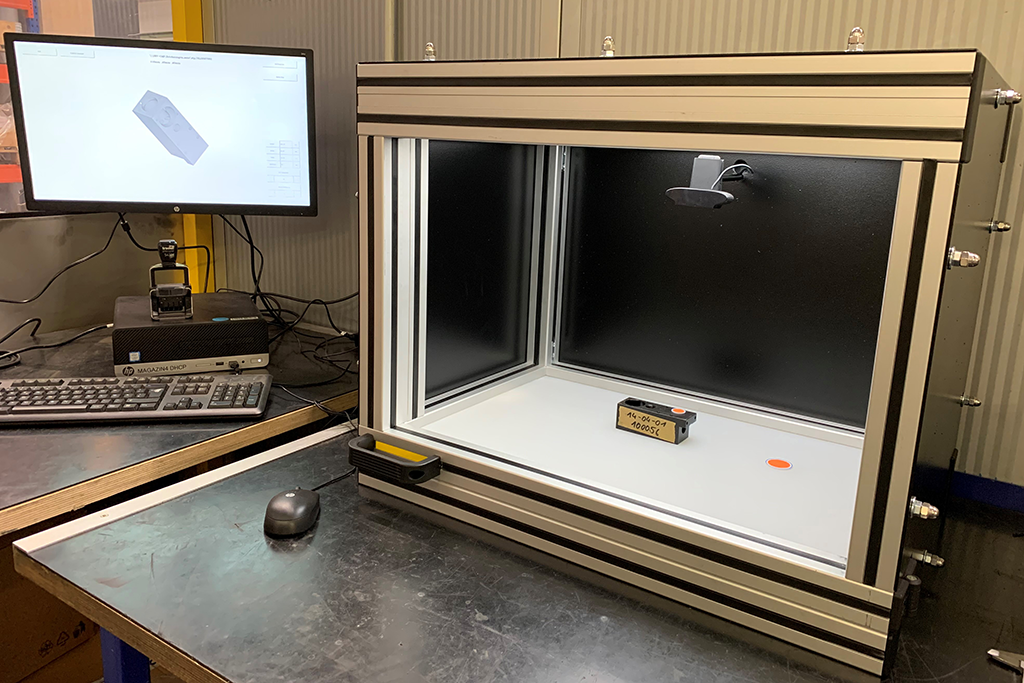
The first version worked with markers on the component, measured contours and boreholes via tablet camera or webcam and compared the results with several thousand STEP files. The model found was displayed with its product number and could be placed next to the real part as an AR object. In December 2019 the system went into operation at the Berger Group as a PC and tablet solution. Read the 2019 article →
Version 2019 and version 2026 compared
| Feature | Version 2019 | Version 2026 |
|---|---|---|
| Preparation | Physical marker on the component required | No labeling of the part needed, ArUco marker only optional for size checks |
| Data basis | STEP database and camera-based measurement | STEP or IGES library, automatically generated views and shape vectors |
| Capture | Tablet or stationary webcam, ideally controlled lighting | Workshop photo in the browser on smartphone, tablet or computer |
| Search | Check contours and measurements against the database | Compare the shape vector with precomputed vectors in PostgreSQL |
| Delivery | Individual PC and tablet solution | Multi-tenant web application without app installation, unlimited users |
The first version in pictures
The recognition process as used at the Berger Group in 2019.
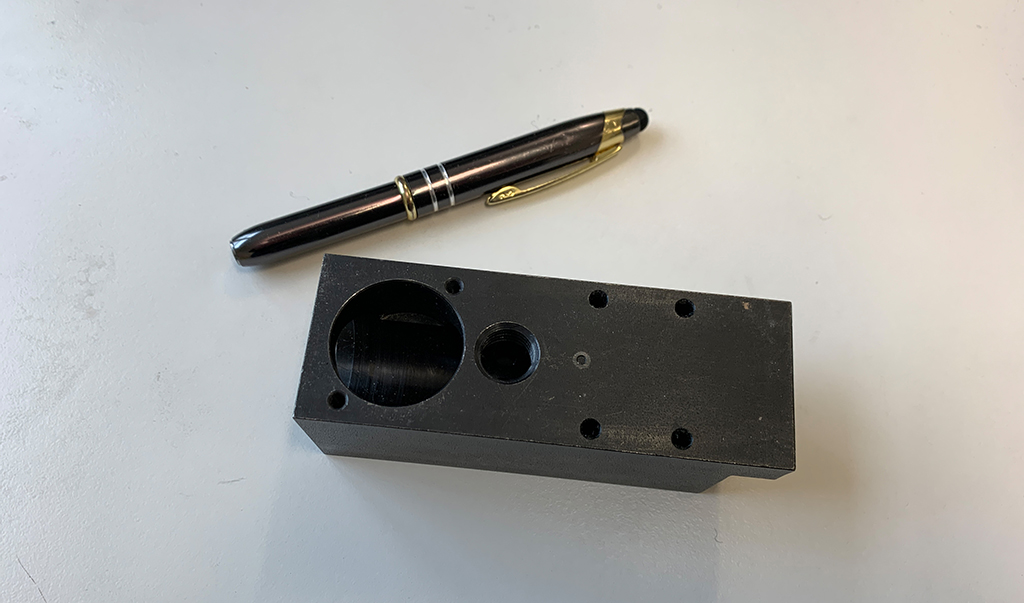
Unknown component
A part without labeling whose article number is to be found.
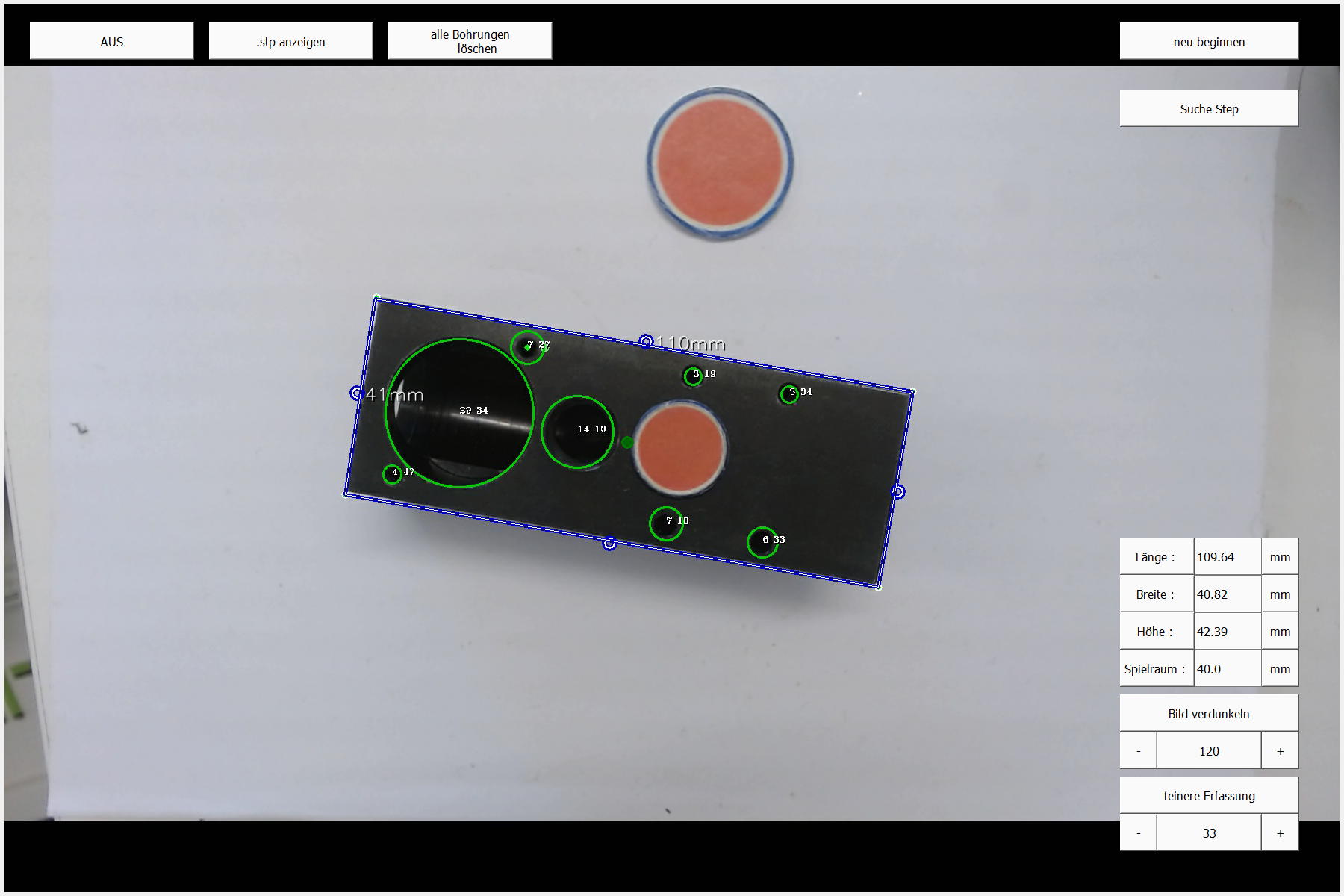
Measurement with markers
Markers provide the scale; the software records contours and boreholes.
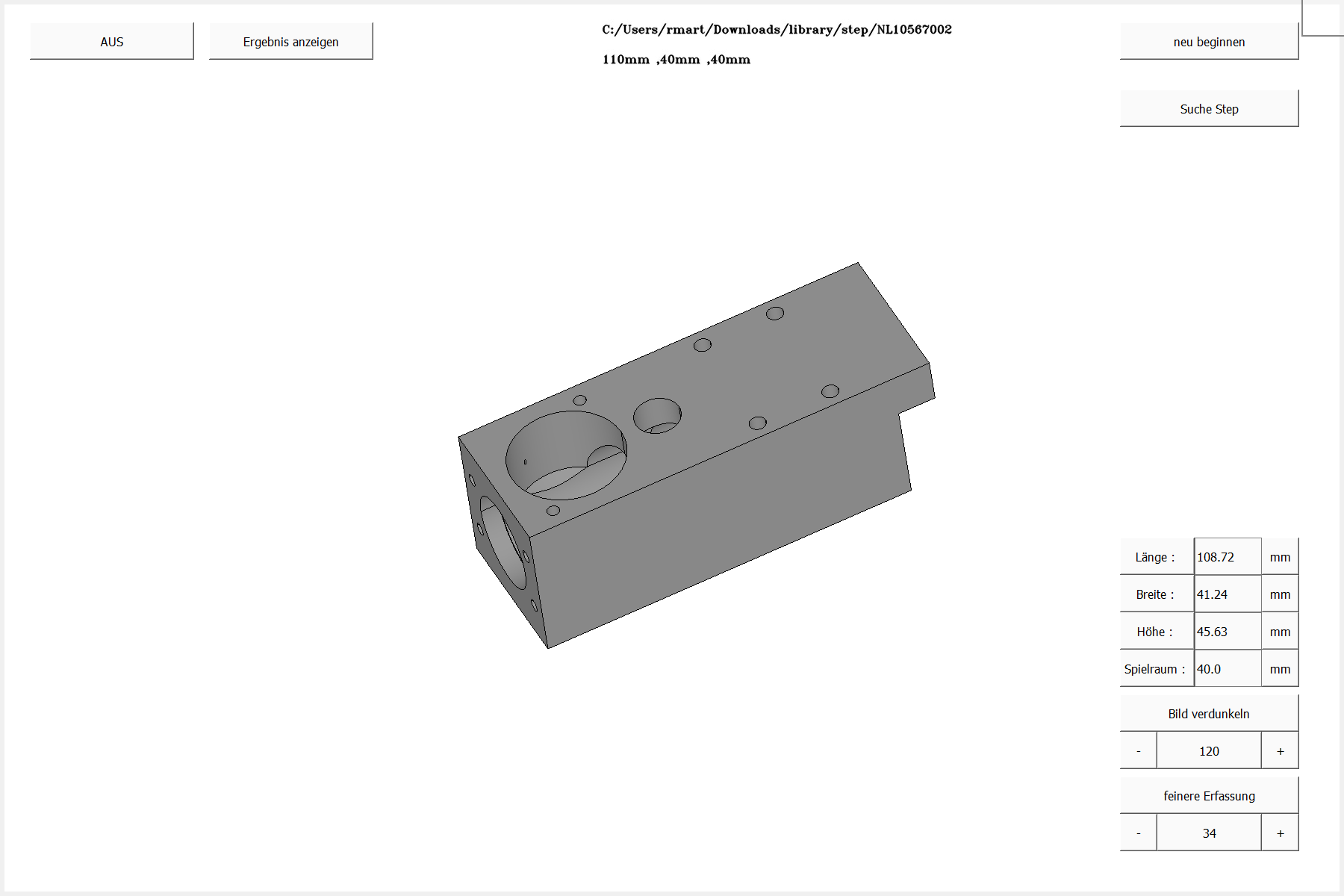
Digital twin
The matching CAD model is displayed as a 3D model with its product number.
Key figures of the first version (2019)
This is how the first version was set up in operation at the Berger Group.
Frequently asked questions
Does an app need to be installed?
No. DiGiTAL TWiN SEARCH is a web application and runs in the browser on smartphones, tablets and computers. The number of users is not limited.
Which CAD formats are supported?
STEP and IGES. ZIP collections can be imported in bulk, metadata such as article number and storage location via CSV.
Do the components have to be labeled?
No. An ArUco marker with an edge length of 50 millimeters can optionally be placed next to the part if its size should be included in the search.
How reliable is the recognition?
The search returns results in about 1.2 seconds. Whether the right match comes first depends on photo quality, visible geometry and the completeness of the CAD library. Parts that look the same from the outside cannot be told apart by a camera.
Where is the data processed?
On servers in Frankfurt am Main, Germany.
Test with your own CAD data
Send us a selection of your STEP or IGES files. We will set up a test account and show the search with your parts.
EXCIT3D GmbH · Mankhauser Str. 1 · 42699 Solingen · info@excit3d.de